
Change an assumption
Set the collection delay or the projected work in Overview. The cash forecast runs six weeks from the reference date of 11 September 2026.
DashboardStudio product · SAMPLE business overview
Dashboard is a working overview of Studio North, a fictional service business. Record a payment or change the collection delay, and the six-week cash forecast changes with it. Move a client to another stage and the pipeline follows; change a project's hours and the scheduled workload follows.
Studio North, its clients, invoices, projects and every figure are SAMPLE, written for this demonstration; no business records were used. The six-week cash forecast is a scenario, not a prediction or an accounting statement.
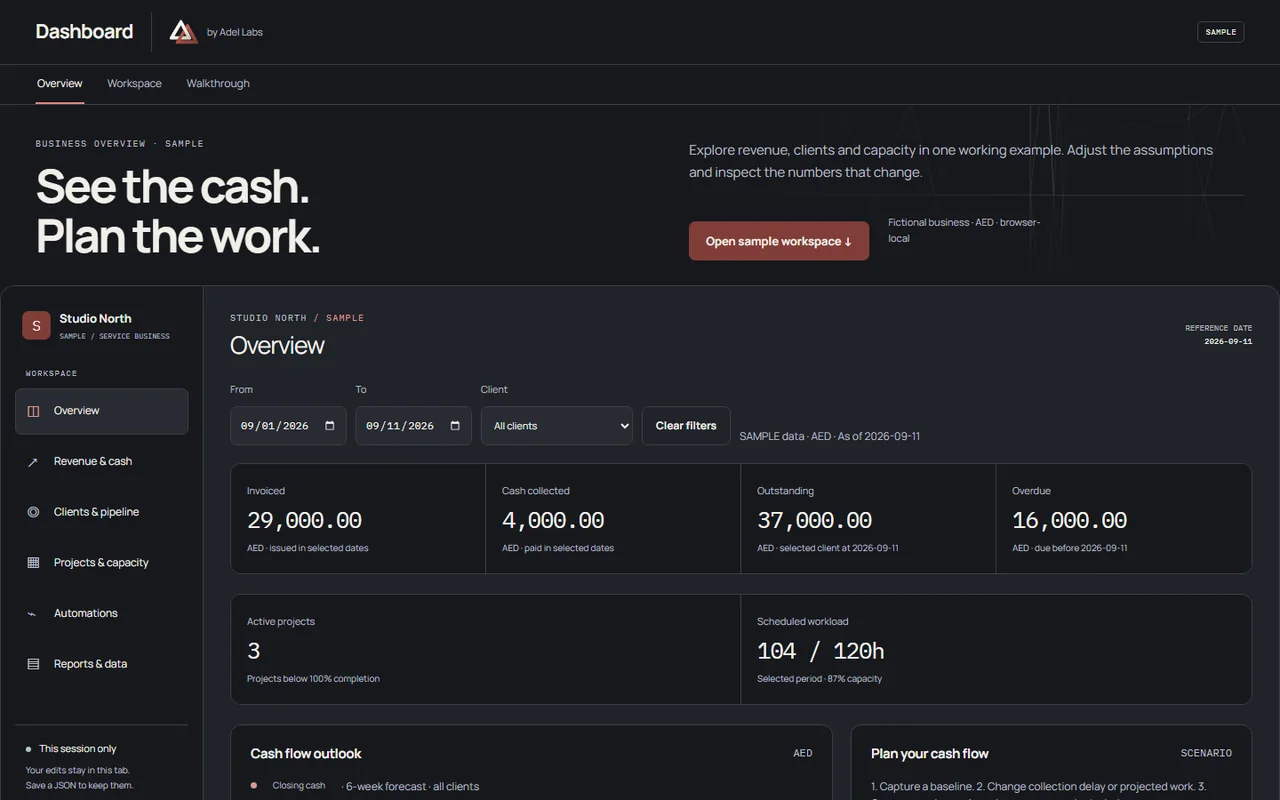
A service business needs to see the cash it can expect, where each client stands and how much work the team can still take on, in one place.
A browser workspace with six areas: Overview, Revenue & cash, Clients & pipeline, Projects & capacity, Automations, and Reports & data. Records save and load as JSON, an invoice ledger can be imported from CSV after its columns are mapped, and a summary prints to PDF. A recorded walkthrough on the page goes from a change of assumptions to a saved comparison.
Inside Dashboard
Set the collection delay or the projected work in Overview. The cash forecast runs six weeks from the reference date of 11 September 2026.
Open an invoice to record a SAMPLE payment, or a client to move its stage. The pipeline and cash views follow.
Change a project's progress, hours or week and see what it does to the team's load.
The weekly performance report runs only when Run is selected. Pause, a simulated failure and a retry can be tried.
Save and load JSON, import invoices from CSV, download CSV or print a summary. Files are read in the browser and never uploaded.
Nothing is kept in the browser and nothing syncs in the background: refreshing or closing the tab discards unsaved edits. Email, Telegram, payment services and scheduling are not connected. Taxes and financing are left out of the cash forecast, and the opening cash is an editable assumption.
Your next project
Start with the numbers you check every week and the people who need to read them.