
Brand, Websites & Apps
Brand identities,
websites and applications.



Client work · Brand, website & social content · Website recording
The Comfy Club connects a brand introduction, product galleries and membership information.
Read The Comfy Club case study →Client work · Website · Infrastructure studio · Website recording
Locus explains an infrastructure offer through site structure, a 3D architecture scene and a lab article format.
Explore the Locus case →Independent work · Interiors identity & cinematic web design · Studio film
An interiors identity and cinematic portfolio, opening on Tidal Room before four chapters with matching films, material studies and galleries.
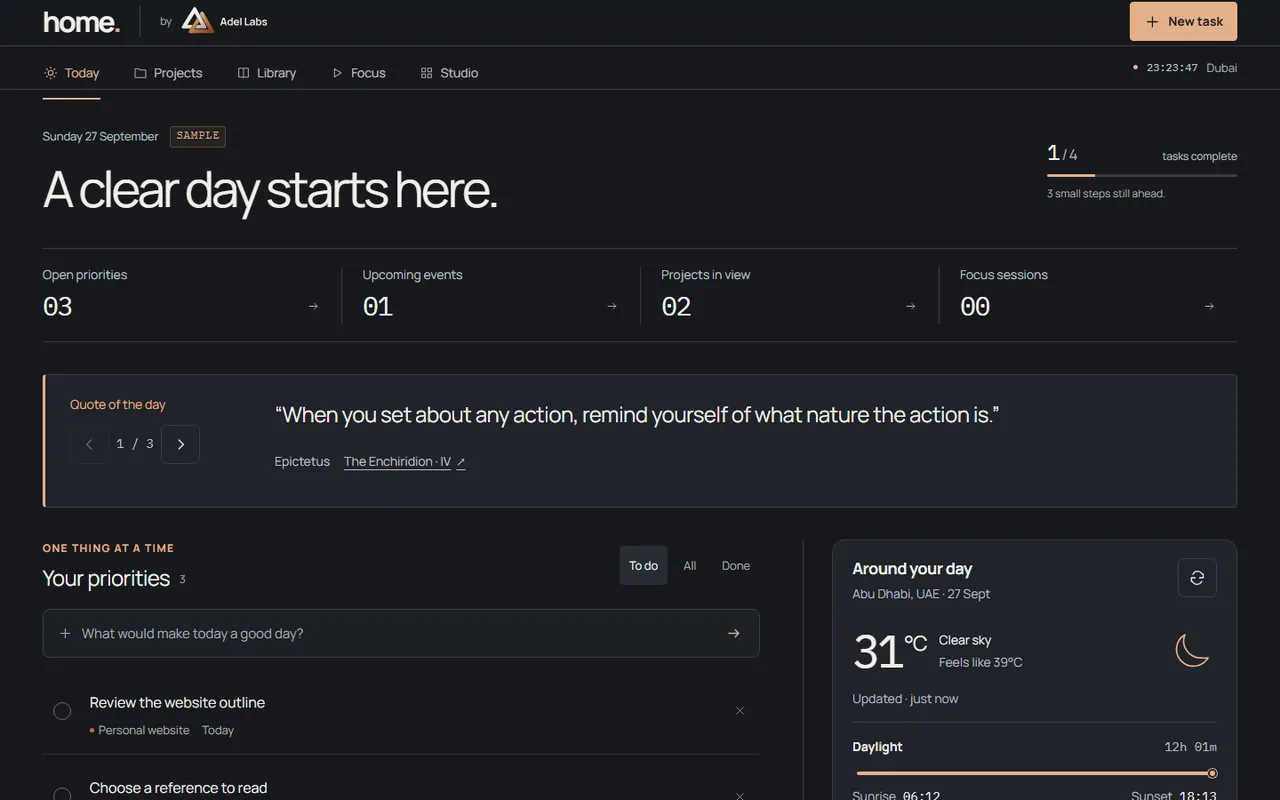
Explore the Orven Interiors case →Independent work · Personal hub · Still
Home is a personal workspace for tasks, projects, notes, reading and focus; the public example runs in the browser and is not a client deployment.
Explore the Home case →A clear identity, a website or Shopify store people can navigate, and working tools for the tasks behind the business.
Your task
You need a coherent brand and online presence, or a recurring task needs a usable interface.
What you receive
The agreed brand assets, responsive pages or working application, with editable source and instructions for the next person who maintains it.
What you provide
Audience, intended action, approved facts/assets and approver.
Campaign content · Client work
One message, carried across the campaign.
Turn approved product information into a consistent campaign. Agree the message and formats, then carry them across the page content and social assets included in the scope. Receive editable masters and a reviewed publication set.



What you provide. Approved product facts, identity/assets, channels and approver. Quantities and formats are agreed in the proposal.
These assets were produced for The Comfy Club. Posting, engagement and sales results are separate from the production contribution.
Scope, deliverables and acceptance checks
Scope and deliverables.
Your proposal identifies the included deliverables and their checks. The outline below helps define that scope.
Information structure: page organisation and visitor journeys that identify what people need to find and do.
Acceptance criteria
Follow the priority visitor tasks through the proposed page structure.
Brand & Design: visual identity, colour and type choices, logo asset exports and a concise usage guide when commissioned; existing approved assets are retained when new identity work is not required.
Acceptance criteria
Review the identity, exported assets and interface against the approved brand direction and content.
Early working journey: one complete route from arrival to a useful result, reviewed before the remaining build is extended.
Acceptance criteria
Review the complete prototype journey and resolve its structural issues before extending it.
Responsive interface: content, navigation and interaction states for desktop, mobile and keyboard use.
Acceptance criteria
Operate the main journey at phone and desktop widths and without a pointer.
Shopify store setup: catalogue and product setup, storefront configuration and a documented handover, within the agreed scope.
Acceptance criteria
Review the agreed product records and storefront at phone and desktop widths. Demonstrate an agreed product edit using the handover instructions.
Product implementation: the agreed application logic, visualisations and integrations, with sample states distinguished from live operations.
Acceptance criteria
Exercise the agreed inputs, outputs and integration boundaries with representative records.
Release checks: accessibility, performance, media loading, working links and representative success and failure paths.
Acceptance criteria
Check the finished pages and record any agreed limitations before release.
Personal apps and dashboards: build planning, reporting or document tools with local saving, import and export. Standalone offline delivery is available for tasks without live external data or services.
Acceptance criteria
Complete the task on the intended device. For offline delivery, disconnect the network, restart the app, import a file, save a result and reopen the exported data.
Handover: deployment, editable source, content editing instructions and a walkthrough.
Acceptance criteria
Open the delivered source, make an agreed content change and confirm the operating instructions.
First engagement
One agreed website journey.
What sets the fee and schedule?
- The number of distinct page types and complete user journeys.
- New brand work, content readiness and the number of review rounds.
- Application logic, accounts, payments or other integrations, and hosting arrangements.
These inputs determine the proposal. No fee or delivery date is fixed before the included work and dependencies are agreed.
Content, review and ownership
Prototype and content review.
The prototype connects a visitor’s starting point to the intended result. Review the structure, content and interaction before the remaining pages or features are extended.
The brief names who supplies and approves copy, images, product information and legal pages. New writing, photography or brand development is included only when commissioned. The review schedule identifies the decision maker and feedback needed at each stage.
At handover, the agreed design assets and editable source are provided with content-editing instructions. Hosting accounts, third-party licences and any continuing maintenance remain explicit parts of the proposal.
Explore the delivery process →Scope, exclusions and handover
Hosting, paid providers, ongoing content production and maintenance are separately identified. Payments, accounts and other integrations are included only when their complete working flow is agreed.
The proposal identifies the source, configuration, access and operating notes included at handover. Third-party software and model licences remain applicable. Maintenance, update testing and further development are scoped separately.
Fees, handover and after-launch questions → · Ongoing care →
Brand, Websites & Apps
What should a visitor be able to do?
Start with the audience, the main action and the material you already have. The first working journey gives us something concrete to review.