Text recognition and edits
Recognises and edits text on a supported PDF or a scanned page, in English, French or Arabic.
Recast + ONYXIndependent work · PDF text & sharing tools
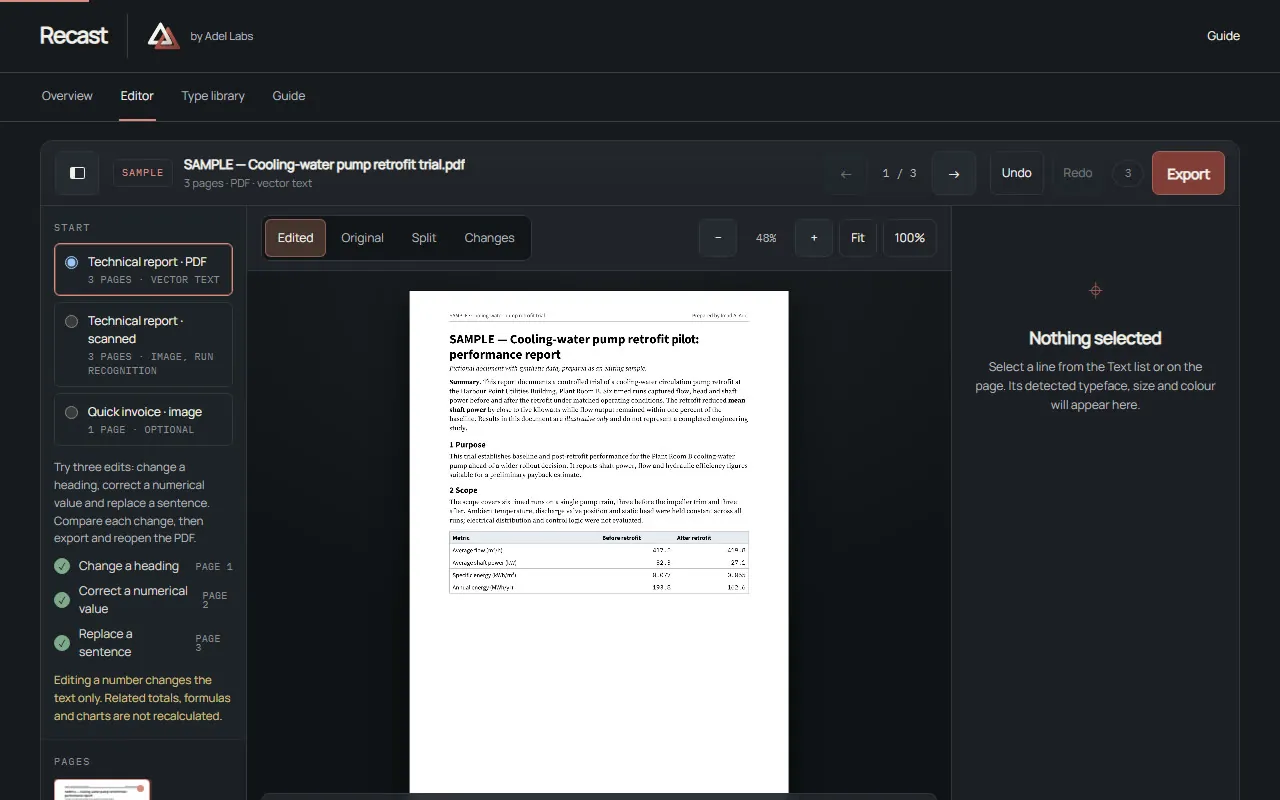
Recast edits supported PDF text or reconstructs a scan in the browser; ONYX then optionally prepares a flattened sharing copy of the result.
SAMPLE · Studio specimen
The original page has a rhythm of its own.
Its spacing. Its type. Its quiet details.
A good revision respects all three.
Select any line to begin. Change a word, refine the typeface, and compare your edit with the original.
Revision notes
Material: uncoated paper
Format: 600 x 800 pt
Illustrative. Specimen text from the SAMPLE document in the Recast demo; ONYX removes searchability, vectors and interactive fields from the flattened export. Flattening is not redaction.
Recast edits supported PDF text or reconstructs a scan in the browser; ONYX then optionally prepares a flattened sharing copy of the result. The two tools stay independently usable — this case covers them as one journey.
The task
Editing PDF text and preparing a sharing copy are two different jobs that still need to work together.
The outcome
Independent product design, browser-local implementation, interface and verification by Imad A. Adel, integrating an optional ONYX sharing-copy stage. Existing PDF.js, pdf-lib, Tesseract, fontkit and jsPDF dependencies and their licences are retained.
Inside Recast + ONYX
Recognises and edits text on a supported PDF or a scanned page, in English, French or Arabic.
Estimates font, baseline and paper reconstruction on a scan, flagged for visual inspection.
Exports at print resolution; unedited pages keep their original copied content.
Hands off to ONYX to flatten every page to an image and report its effective resolution.
ONYX removes searchability, vectors and interactive fields from the flattened export.
Scan recognition, font matching, baseline and paper reconstruction are estimates — every changed page needs visual inspection. Unsupported PDF structures block export, and password-protected documents are rejected. Flattening is not redaction: visible content remains visible and can be recovered through OCR; ONYX only removes searchability, vectors and interactive fields. Edits remain in the current browser session — the durable output is the exported file, not an editable project — and metadata is preserved by default unless explicitly cleared.
Your next project
Start with the task, who will use the result and what needs to improve.
Or write to imad@adellabs.com.